Are you tired of spending hours on ads that don’t work? Creatify is here to help. This honest Creatify Review 2025 explores how this powerful ad tool helps you create viral video ads in minutes and how it compares with AdCreative.ai, Pictory, InVideo, and Jasper.
Why read this review
If you run social ads or affiliate campaigns, your biggest bottleneck is usually production time. You need multiple video variants, platform-specific sizes, and fresh hooks every week. That is exactly where Creatify claims to help. Paste a product URL, let the AI draft the script and storyboard, select a voice, and export for Reels, Shorts or TikTok. This review dives deep into how Creatify’s AI-driven workflow actually performs in real use. You’ll see what makes it stand out, where it still needs improvement, and whether it’s really worth your investment compared to other ad-generation tools like AdCreative.ai and Pictory.
Whether you’re a small-business owner, affiliate marketer, or content creator looking to speed up your ad production, this honest Creatify Review 2025 helps you decide if it’s the right tool for your 2025 marketing toolkit.
For broader context, this review sits next to two pieces on my site that you may find useful:
- AdCreative.ai Review for fast static and image-led creatives
- Digital Ad Intelligence for researching what is working before you build your creatives
Table of Contents
What Is Creatify and Why It Matters in 2025
Creatify is transforming how marketers and small businesses create video ads. It’s an AI-powered tool that turns a simple product URL or short brief into a ready-to-edit video complete with scenes, captions, and a suggested script. You can choose a voice, adjust visuals, and export the final ad in multiple formats for social media or connected TV. The best part is you get ad-ready videos in minutes without opening a traditional video editor.
Creatify is perfect for marketers, entrepreneurs, and content creators who want fast, repeatable ad production without sacrificing quality. Whether it’s for product launches, promotions, lead-generation campaigns, or UGC-style content, Creatify helps you publish more videos, more often, with consistent branding and messaging.
In today’s marketing world, speed is everything. AI is reshaping digital advertising, especially around short-form and CTV (connected TV) video. As noted in recent reports by Reuters and Statista, global ad spending on AI-powered tools continues to rise, showing how vital automation has become for creative teams. Tools like Creatify make it possible to keep up without needing large production teams or hours of manual editing.
Creatify’s technology combines machine learning and natural language processing to understand tone, context, and brand voice. This allows it to generate scripts, visuals, and voiceovers that feel natural and on-message. Each video draft is built intelligently so you spend less time planning and more time publishing.
Since its launch, Creatify has continued to evolve through user feedback and advances in AI. It now offers realistic voiceovers, an expanding template library for different industries, and smooth integration with platforms like TikTok, Instagram, YouTube, and Meta. Its simple interface, quick turnaround, and consistent results have made it one of the most trusted tools in AI-based video advertising.
As digital advertising evolves in 2025, understanding how to use Creatify effectively will give marketers a clear advantage. Staying ahead in the world of AI-driven content means knowing how to work smart with tools like Creatify, Pictory, and InVideo.
As we move through 2025, learning how to use Creatify effectively gives marketers a real edge. The future of advertising is faster, smarter, and data-driven, and Creatify is helping businesses lead that change.
Key Features of Creatify (2025 Edition)
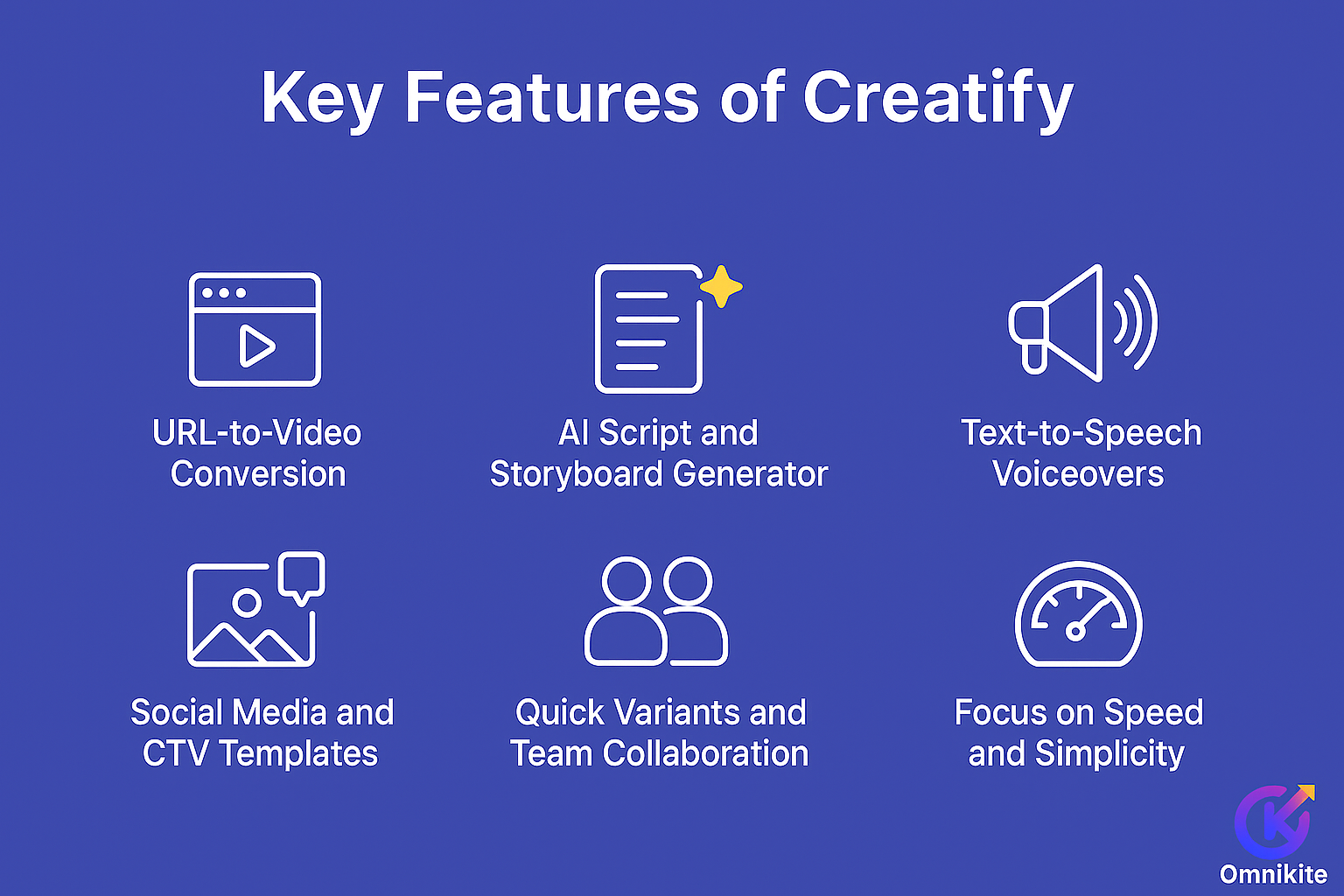
Creatify brings together several useful tools that make video ad production faster and easier. Below are the main features that stand out in daily use.
1. URL to Video Conversion
One of Creatify’s most helpful features is its ability to turn a product link into a complete video ad. When you paste a URL, Creatify automatically pulls your product name, description, and images, then builds a basic storyboard. This saves a huge amount of setup time for e-commerce stores, agencies, and affiliate marketers who regularly promote new products.
2. AI Script and Storyboard Generator
The built-in AI scriptwriter creates catchy hooks, benefit-driven lines, and clear calls to action. It also builds a scene-by-scene storyboard that you can regenerate the script or adjust sections until it sounds right for your audience. This feature helps reduce creative block and keeps ad writing consistent.
3. Text-to-Speech Voiceovers
Creatify includes natural-sounding text-to-speech voices in multiple languages and tones. They work well for quick campaigns or tests where speed matters most. For higher-end branding, users can still upload their own voiceovers or work with professional narrators for a more personal touch.
4. Social Media and CTV Templates
All templates in Creatify are optimized for major platforms, including TikTok, Instagram Reels, YouTube Shorts, and connected TV (CTV). Each template is designed to fit screen ratios, safe zones, and pacing standards for that platform. This means you don’t waste time resizing, epositioning, or reformatting visuals for every channel.
5. Quick Variants and Team Collaboration
Creatify allows you to create multiple versions of the same ad in just a few clicks—perfect for testing different hooks, CTAs, or visuals. It also supports team collaboration and API integration, which helps small marketing teams or agencies streamline their workflows.
6. Focus on Speed and Simplicity
Unlike traditional video editors, Creatify doesn’t overwhelm users with complex timelines or advanced effects. Its focus is on speed, clarity, and repeatability, making it a solid choice for marketers who want clean, professional-looking ads without a steep learning curve.
Why These Features Matter
Together, these features make Creatify a time-saving tool for content creators and marketers. Whether you’re producing ad creatives for an online store, running affiliate campaigns, or testing new offers, Creatify helps you move from idea to export within minutes, keeping you ahead in the fast-paced world of social advertising.
Step-by-Step Workflow with Creatify
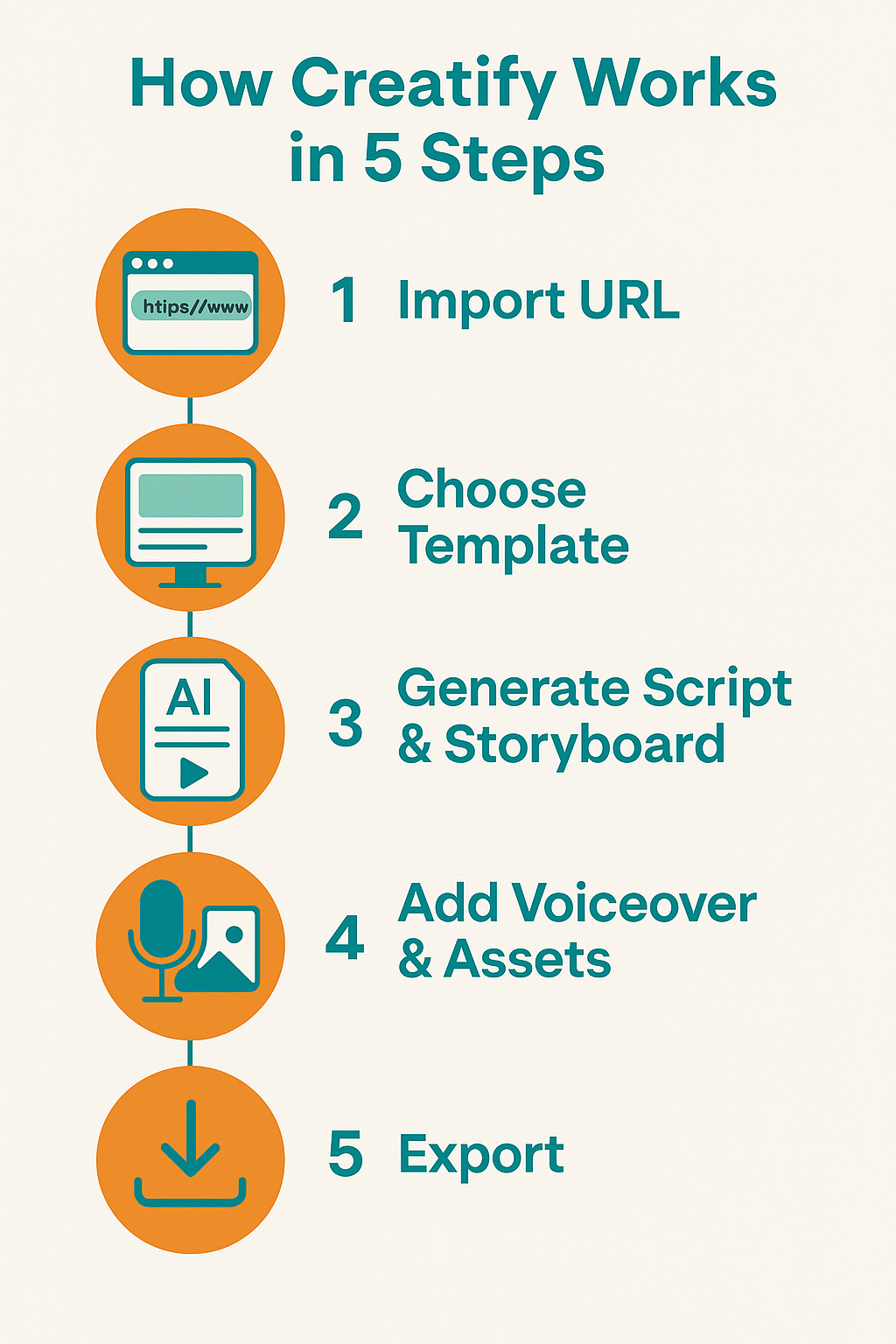
Here’s a simple breakdown of how Creatify AI turns a basic product idea into a polished video ad that’s ready for social media.
1. Paste a Product Link or Brief
Start by entering a product URL or a short description of your offer. Creatify automatically scans the page, pulling key details like the title, images, and features, then maps them into ready-to-edit video scenes.
2. Pick a Template and Format
Next, choose the layout that fits your target platform.
Use 9:16 for vertical formats such as Instagram Reels, YouTube Shorts, or TikTok, and 1:1 or 16:9 for feed posts or YouTube ads. Creatify’s templates are already sized and optimized for each channel, saving setup time.
3. Generate a Script and Storyboard
Creatify’s AI script generator suggests multiple hooks and calls to action. Review the options, keep the most persuasive hook, and refine the message to highlight your top two benefits. This helps ensure every second of your ad keeps viewers interested.
4. Choose a Voiceover
Select from Creatify’s text-to-speech voices or upload your own recorded voiceover.
The AI voices are clear and natural enough for testing campaigns, while a custom voice works best for brands that need a more personal tone.
5. Add and Adjust Assets
Upload product photos, lifestyle clips, and your logo, or use Creatify’s built-in stock media. You can apply your brand colors and adjust text placement to fit the platform’s safe zones.
6. Preview, Refine, and Export
Before publishing, watch the preview to catch any slow transitions or mismatched captions. Make small tweaks, then export your ad in the proper format. Many marketers create two or three quick variants to test different hooks and see which performs best.
This fast, repeatable process is what makes Creatify AI so practical. It cuts production time from hours to minutes, allowing teams to focus on the creative details that make ads more persuasive and on-brand.
Creatify Pricing and Free Plan (2025)
Creatify keeps its pricing simple and flexible, making it easy for individuals, small teams, and agencies to start creating ads without a big upfront cost.
Free Plan
The Free Plan is designed for users who want to explore Creatify before subscribing. It includes:
- Limited monthly video credits
- Access to basic templates
- Standard AI voiceovers
- Watermarked exports for testing
It’s a great way to understand how Creatify fits your workflow before upgrading. Most new users can produce a few complete ad drafts under the free plan without needing a paid tier.
Paid Plans
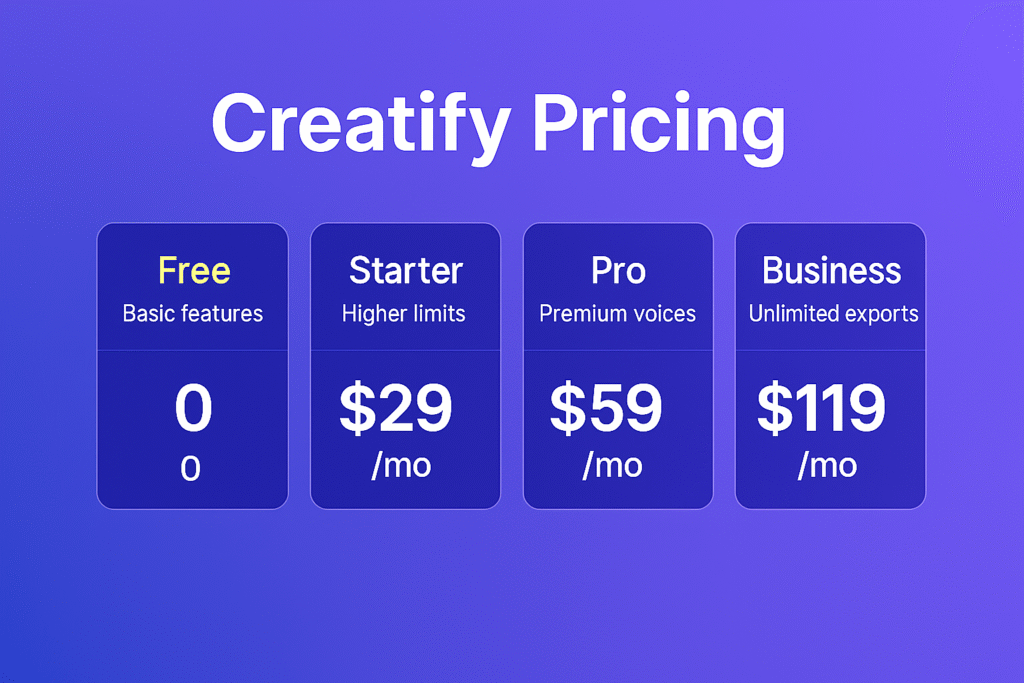
Creatify currently offers several paid options with higher limits and premium features. Although pricing may change, the most recent structure includes:
| Plan | Ideal For | Key Benefits | Approx. Monthly Price* |
|---|---|---|---|
| Starter | Freelancers and new creators | Higher video credits, watermark-free exports, all templates unlocked | Around $29 |
| Pro | Small businesses and agencies | Priority rendering, brand kits, collaboration tools, extended AI voices | Around $59 |
| Business | Agencies and teams managing multiple clients | Unlimited exports, API access, white labeling, advanced collaboration | Around $119+ |
*Prices are approximate and may vary depending on region and promotions. Always check the latest details on Creatify’s official pricing page.
Is the Free Plan Enough?
For short campaigns or occasional content creation, the Free Plan is perfectly fine. You can test templates, see how the AI builds your video from a product URL, and get a feel for export quality.
However, if you plan to run ongoing social ad campaigns or need multiple versions of your videos, the paid plans are much more efficient. Removing watermarks, increasing export credits, and using brand kits are key benefits once you start scaling.
Recommendation
Start with the Free Plan to explore the workflow. Once you produce a few ads that match your creative style, upgrade to Pro or Business to unlock premium voices, team sharing, and unlimited exports. For most professionals, the jump from Free to Pro pays for itself within the first few projects.
Creatify vs Competitors (2025)
Before choosing any ad creation tool, it helps to see how Creatify compares with other well-known platforms. While many AI tools now assist with content production, Creatify focuses on fast, ad-ready video creation, whereas others specialize in image ads, copywriting, or long-form video repurposing.
Quick Comparison
| Tool | Best For | Key Strengths | Where It Falls Short |
|---|---|---|---|
| Creatify | Short video ads | Converts URLs into videos, AI script + TTS voiceover, quick variant creation | Limited advanced editing and visual control |
| AdCreative.ai | Image and static ads | Creates high-CTR visuals and ad headlines quickly | Not optimized for video ad creation |
| Pictory | Repurposing long videos or blog content | Converts scripts and articles into short videos | Fewer ad-focused templates |
| InVideo | Social video templates | Massive template library, easy to use | No URL-to-video automation |
| Jasper | Copywriting and content generation | Great for ad copy, captions, and ideas | Doesn’t create full video ads |
What Makes Creatify Stand Out
Creatify is built specifically for speed and performance-driven ad creation. While tools like AdCreative.ai or Jasper focus on visuals or text, Creatify combines them both, turning a product URL into a scripted, voiced, and platform-ready video ad in just minutes.
This focus on short-form, conversion-focused video makes it especially powerful for affiliate marketers, e-commerce sellers, and small agencies who need to produce consistent content fast.
If your main goal is creating image or text-based ads, AdCreative.ai remains an excellent partner tool. For longer educational or storytelling content, Pictory and InVideo are better suited. But for campaigns where you need a quick, high-performing ad workflow, Creatify fills that gap perfectly.
Who Should Use Each Tool
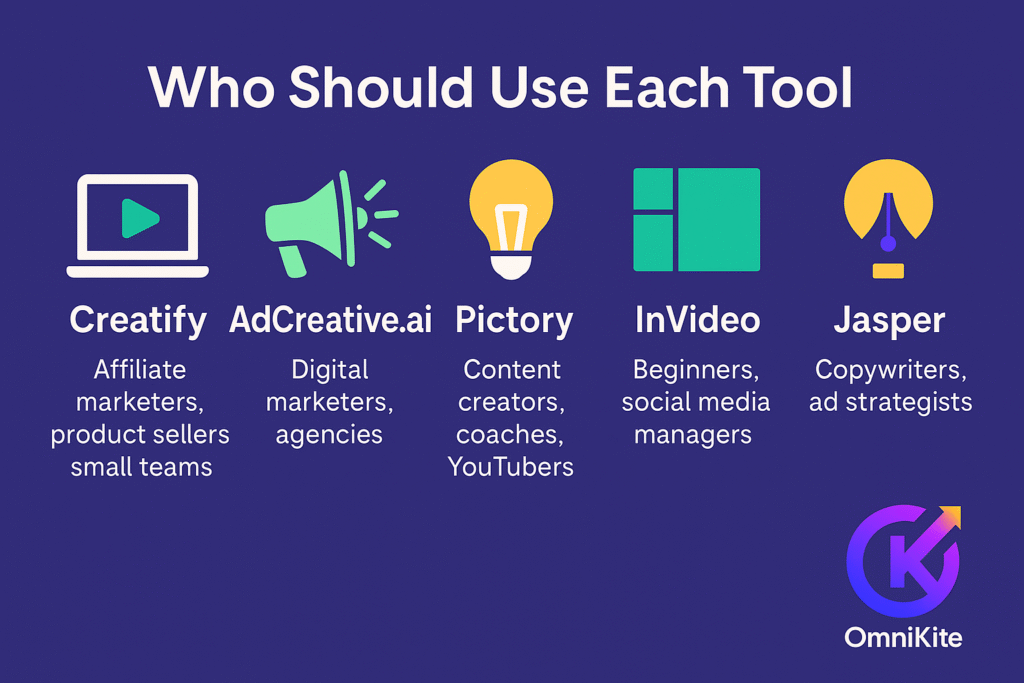
Each of these tools is built for a slightly different type of creator or business. Here’s how to decide which one fits your workflow:
- Creatify – Best for affiliate marketers, product sellers, and small teams who want to go from a product page to a finished ad video quickly without heavy editing.
- AdCreative.ai – Ideal for digital marketers and agencies focused on image and banner ads that need catchy visuals and high CTRs.
- Pictory – Perfect for content creators, coaches, and YouTubers who turn blogs or long videos into shorter social clips.
- InVideo – Great for beginners and social media managers looking for ready-made templates and simple drag-and-drop design.
- Jasper – A go-to tool for copywriters and ad strategists who need strong hooks, CTAs, and ad text before moving into video production.
In reality, these tools often complement each other. Creatify stands out as the bridge between copywriting tools like Jasper and visual tools like AdCreative.ai, giving marketers a full, automated workflow from idea to final video ad.
Related Reads
- AdCreative.ai Review 2025 – Create High-Converting Ads in Minutes
Explore how AdCreative.ai compares for image and static ads. - Digital Ad Intelligence – Find Winning Ad Ideas Before You Create
Learn how to research top-performing ad trends to use with Creatify.
Pros and Cons of Using Creatify
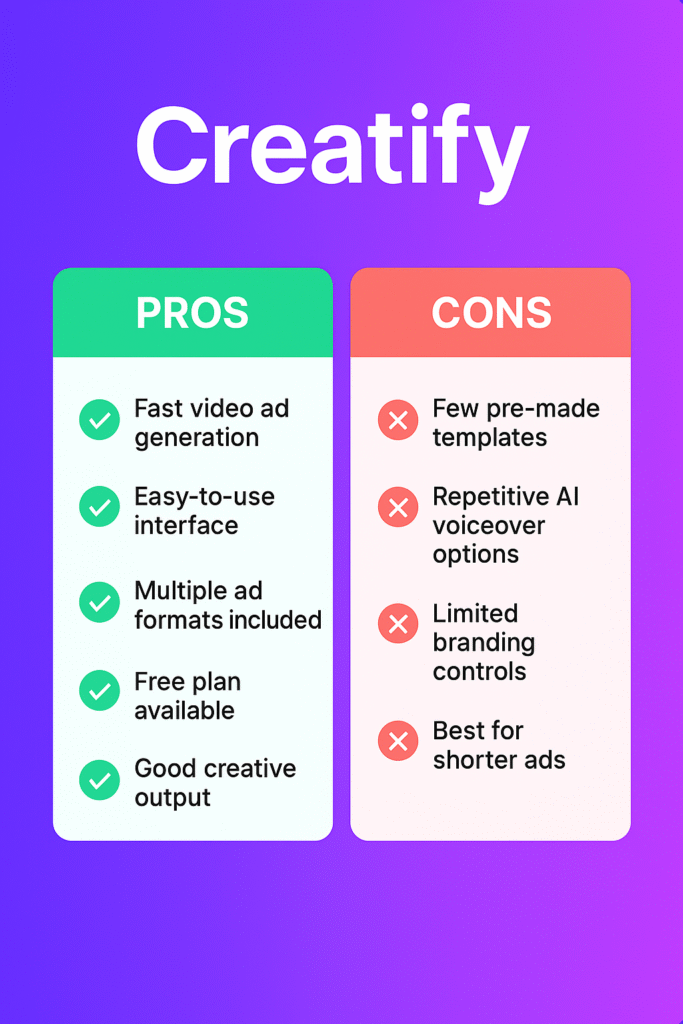
Like any marketing tool, Creatify has strengths and a few limitations. Here’s a clear look at both to help you decide whether it fits your workflow.
Pros
- Extremely Fast Ad Creation
Creatify can turn a product page or short brief into a draft video ad within minutes. This saves valuable time for small businesses, agencies, and affiliate marketers who need multiple ad versions every week. - Built-In Script and Caption Alignment
The AI automatically matches the voiceover, captions, and visuals, so you don’t have to spend time syncing them manually. You can easily regenerate the script until it fits your brand tone. - Templates for Every Platform
All templates are already formatted for TikTok, Instagram Reels, YouTube Shorts, and CTV ads, so you won’t need to resize or reposition text for each platform. - Simple and Beginner-Friendly Interface
The dashboard is clean and easy to use. Even first-time users or virtual assistants can produce quality ads with minimal learning time. Reviews on platforms like G2 also highlight its ease of use and export speed. - Reliable for Testing and Scaling
Because Creatify can produce several ad variants quickly, it’s ideal for A/B testing hooks, calls-to-action, and visuals. You can find what works without overcomplicating the process.
Cons
- Limited Advanced Editing Options
Creatify focuses on speed, not precision. If you need frame-by-frame editing, color grading, or motion effects, you’ll still need to use professional software like Premiere Pro or Final Cut. - AI Voices Still Sound Slightly Robotic
The text-to-speech voices are clear and useful for quick tests, but for major campaigns or high-end branding, a real human voiceover will always sound more authentic. - Occasional Rendering or Asset Issues
Some users have mentioned small hiccups, like render delays or missing assets in exports. These are rare but worth noting, especially if you’re producing large batches of ads. - Mixed Feedback Across Review Platforms
Most users praise Creatify’s time savings, while others point out occasional performance bugs. As with any AI tool, results can vary depending on your campaign goals and expectations, so testing it on a smaller project first is wise.
Bottom Line
Overall, Creatify delivers impressive value for marketers who prioritize speed, automation, and simplicity in their ad workflow. While it’s not meant to replace full-scale editing tools, it shines in what it promises, creating scroll-stopping, conversion-ready video ads in minutes. For small businesses, affiliate marketers, and content creators, the pros easily outweigh the cons, especially when paired with tools like AdCreative.ai and Pictory.
Who should use Creatify, who should not
Strong fit
- Enterprenuers and Small businesses that run promos and seasonal sales
- Agencies that want a repeatable process for short ad content
- Solo creators who value speed more than granular control
- Affiliate marketers who need fast video variants for social ads
Probably not the best fit
- Filmmakers or brands that require precise color and advanced motion
- Long-form YouTube creators who need chaptering, b-roll organization, and detailed audio work
How it fits with OmniKite’s workflow
- Use Digital Ad Intelligence to research winning hooks and formats.
- Build static and text creatives in AdCreative.ai to cover display and retargeting.
- Produce video variants in Creatify for Reels, Shorts, TikTok, and CTV.
This order lets you research first, then ship quickly, then test.
Final Verdict: Is Creatify Worth Using in 2025?
According to this Creative Review 2025, this AI ad delivers on what most marketers and small teams need, a fast, reliable way to create short video ads that look professional and perform well. It simplifies the ad creation process from start to finish, turning what used to take hours into just a few minutes.
The platform isn’t meant to replace advanced video editors like Premiere Pro or Final Cut. Instead, it’s built for people who want speed, consistency, and ease of use without giving up quality. You can go from product link to ready-to-publish ad with minimal editing skills, which makes Creatify especially valuable for affiliate marketers, e-commerce sellers, and small agencies that work with multiple products or clients.
Public reviews across sites like G2 and Trustpilot echo this experience, users appreciate how simple it is to use, how clean the templates look, and how quickly they can produce content that’s ready to test on social media. The few drawbacks, such as limited editing depth or slightly robotic AI voices, are minor compared to the time savings it offers.
When Creatify Makes the Most Sense
- You’re producing multiple ads every week and need a repeatable workflow
- You want to test different hooks and CTAs quickly
- You prefer a tool that does the heavy lifting but still lets you tweak creative details
If you manage ads across TikTok, YouTube Shorts, Instagram Reels, or CTV, Creatify can easily become your go-to production tool. Pair it with Digital Ad Intelligence for research and AdCreative.ai for static designs, and you’ll have a full AI-powered ad creation system that saves both time and effort.
Final Thoughts
Creatify isn’t about perfection, it’s about speed and scalability. It gives marketers the power to launch, test, and refine creative ideas faster than ever. For many professionals, that’s exactly what drives real growth.
Recommendation:
Start with the free plan to see how it fits your workflow. Once you’re confident, upgrading unlocks watermark-free exports, higher credit limits, and more flexibility.
Call to Action:
Get Started with Creatify and see how quickly you can turn your next product or idea into a scroll-stopping video ad.
FAQs
1. What is Creatify and how does it work?
Creatify is an AI-powered platform that turns product links or short descriptions into ready-to-publish video ads. It automatically generates the script, voiceover, and visuals, helping creators and businesses produce ads in minutes.
2. Is Creatify free to use?
Yes, Creatify offers a Free Plan that lets you create and test a few video ads with watermarked exports. To unlock more credits, higher-quality templates, and watermark-free downloads, you can upgrade to a paid plan.
3. Who should use Creatify?
Creatify is best for affiliate marketers, small business owners, agencies, and e-commerce sellers who want to produce short, high-converting video ads quickly without professional editing software.
4. How is Creatify different from AdCreative.ai or Pictory?
While AdCreative.ai focuses on static image and text ads and Pictory repurposes long videos, Creatify specializes in fast, AI-generated short video ads. It’s built to create scroll-stopping content for platforms like TikTok, Reels, and YouTube Shorts.
5. Is Creatify worth it for beginners?
Absolutely. Creatify’s simple interface, ready-made templates, and AI script generator make it easy for beginners to create professional video ads. You can start free, learn the basics, and upgrade as your content grows.